We use cookies to enhance user experience, personalize content, and analyze traffic. Cookie Policy
Refract Bot Target Guide: Best Proxies and Setup for Success
by Bryce Shenk
10 minute read
10/14/2025
The first thing you want to know about using software or “bots” to help purchase items in high demand is that this will help you gain an edge, but it's still not guaranteed. That's why I’m here; I’m going to help increase your edge even more. Botting is a hobby to some and a full-time job for others, so don’t get frustrated. Give yourself time to learn the ins and outs. This is new to you, and you’ll be competing with the pros. There are no divisions separating newcomers from seasoned veterans in this game.
Best Retail Bot Setup on Target
First thing, if you have not already done so, head over to https://refractbot.com/?via=purchase-now and pick yourself up a copy of arguably the best Target auto-checkout software publicly available.
Once purchased, you will be directed to your online dashboard, which will show download links for Mac OS and Windows. There will also be a guide, which I highly suggest reading. This guide was made by the owners/devs of Refract.
After you have downloaded all necessary files, you will then proceed to launch Refract Bot for the first time. Type in the credentials you made on their online dashboard to sign into your personal copy. After you’re signed in, you will be met with a bunch of tabs on the left-hand side. Take a deep breath; don’t get worked up. I'm here to help.
Creating a Discord Webhook
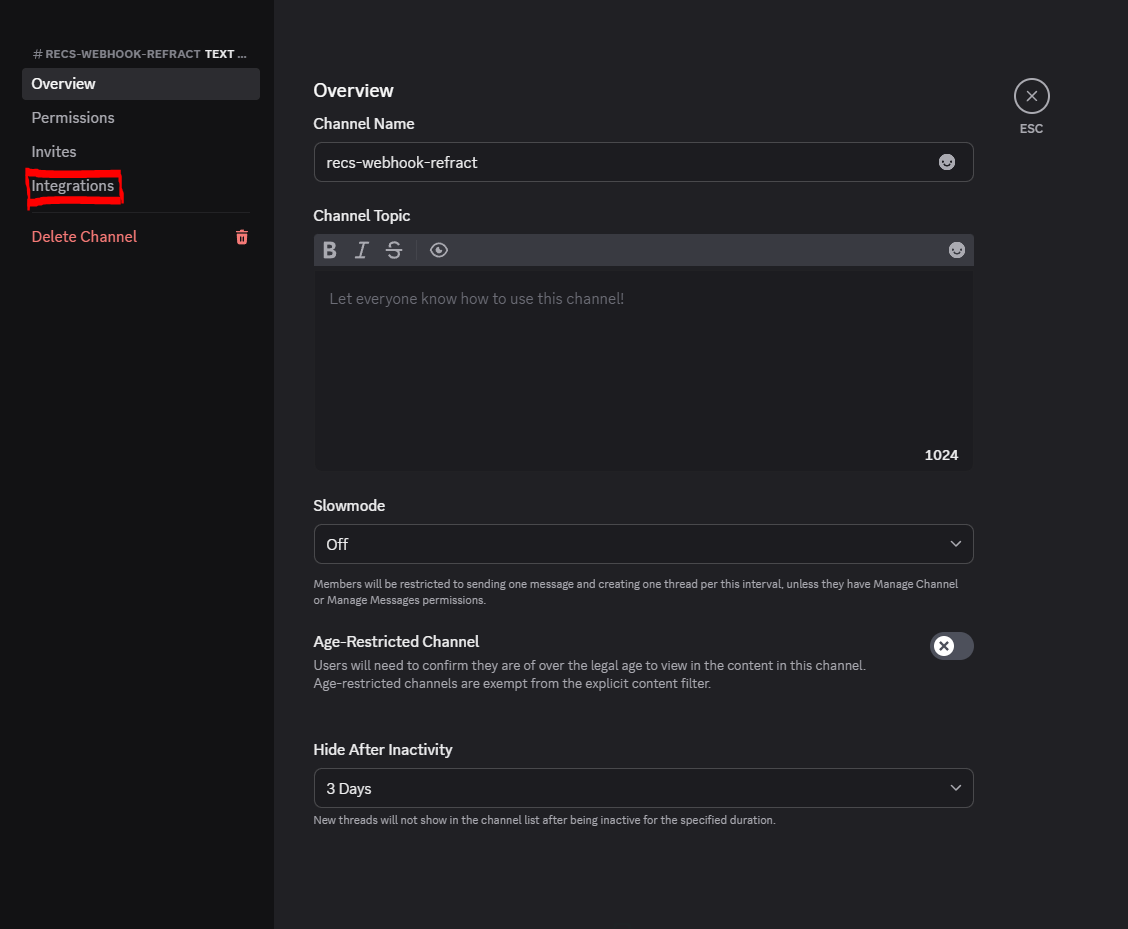
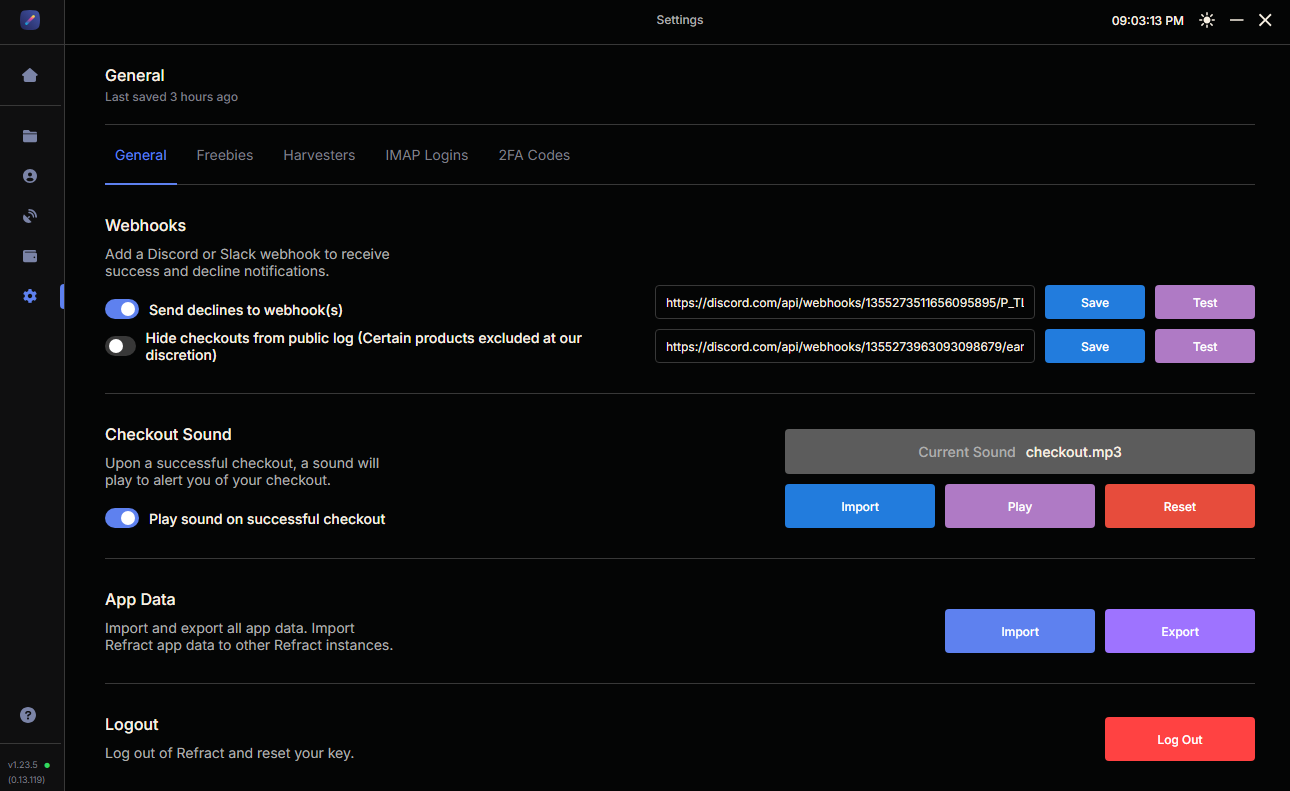
Go to the settings tab on the left-hand side (gear wheel). Once there, you will see a Webhooks section. Go to Discord and create a personal server for your eyes only. Create a channel in that server and name it whatever you’d like - I named mine “Refract Checkouts”. Right-click on the channel, click edit, and then select “Integrations”. This will show you a “Create Webhook” button. Press the button, copy the URL, and save it. Paste the newly created webhook in Refract’s settings, enable declines to webhook, then press save. You successfully created a webhook and are now able to press the test button on Refract to make sure it works properly. When you see a test checkout show up on your webhook channel in discord you know you did it correctly.
Creating Profiles in Refract Bot
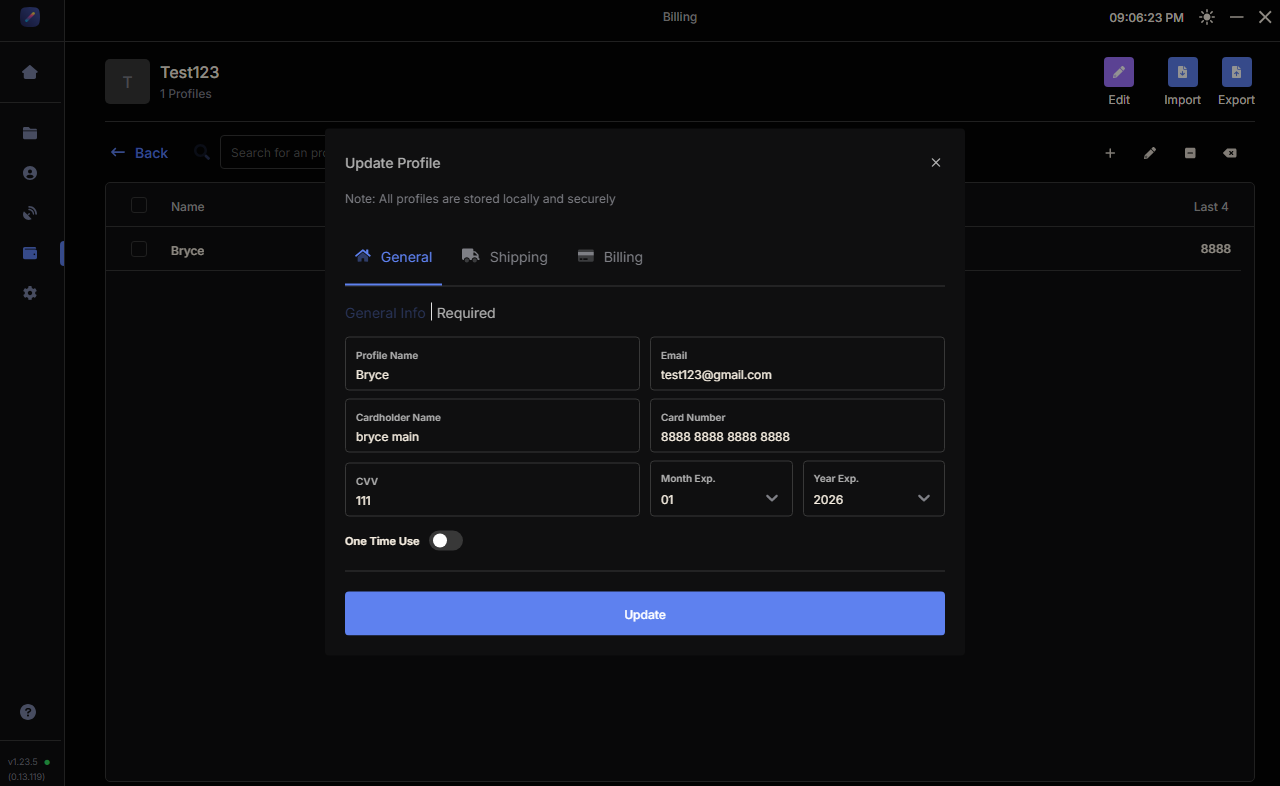
Now go to the “Profile Groups” tab on the left and create a group called “Target.” Input all your personal information. I highly recommend using physical credit cards. If you don’t have enough, you can use virtual credit cards, such as Eno. Amex has some, or even Privacy as a last resort. Once you have created your profiles under your profile group “Target,” we can move on to the next step. See, it's not too hard so far.
How to Choose the Best Proxies for Target
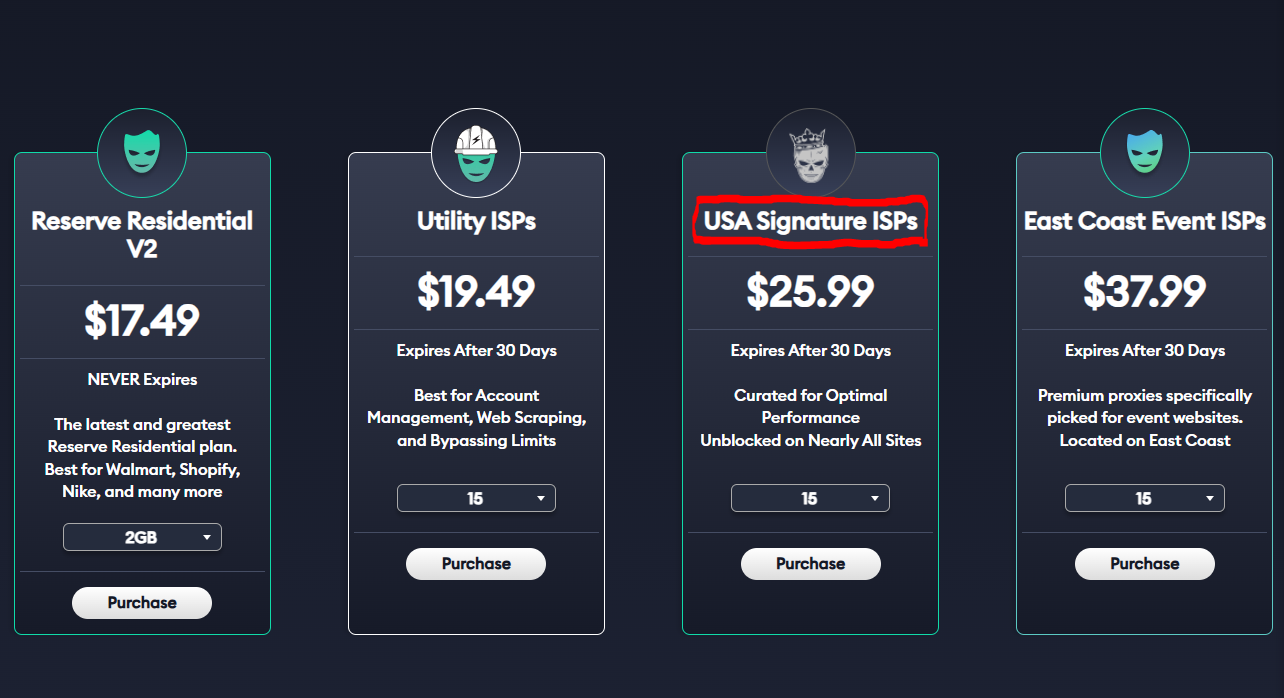
Select the “Proxies” tab. Now, it's very important to choose a reliable and high-quality provider that also offers excellent support in case you have any issues. Proxies are IP addresses that allow you to mask your identity so websites like Target don’t realize you’re running multiple checkouts from the same device. I highly recommend Unknown Proxies Signature ISPs for Target. They use an antibot called Shape that is very good at detecting bad proxies and unusual activity. Signature ISPs will help you mitigate this and go under Shape’s antibot radar as much as possible. You can find those proxy products at https://unknownproxies.com/purchase.
How to Select the Best Proxy Plan Size
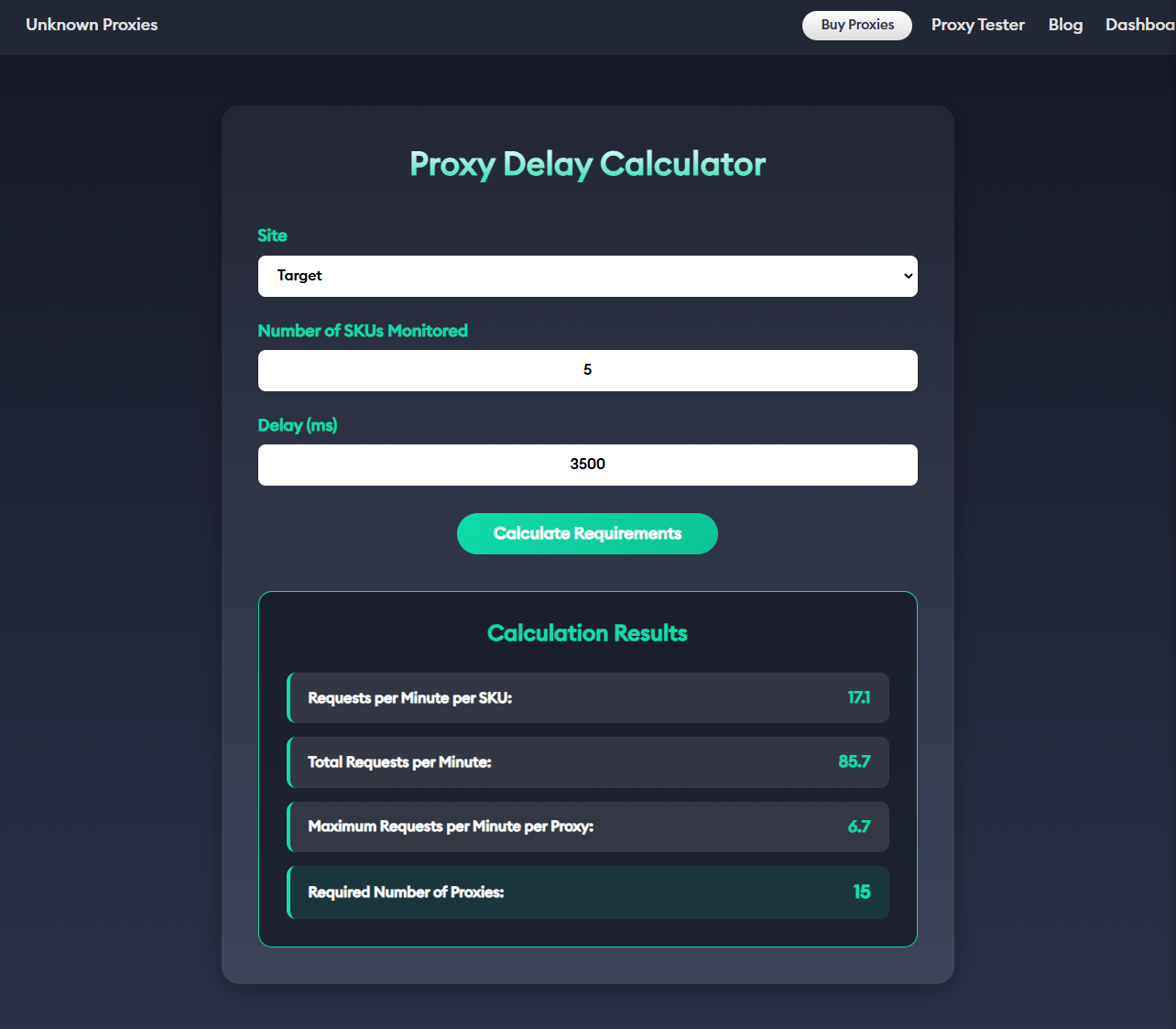
Now you probably are wondering, how do I know how many proxies to purchase? Well, luckily, we made a tool for that at unknownproxies.com/delays. This will ask you what delay you want to use to monitor Target. I suggest a delay of 3500. This page will show how many proxies you need to monitor the number of SKUs you want to monitor. For monitoring, you want to use a 1:1 ratio of proxies to accounts. For cookie harvesting, you want 15-20 proxies for 10 accounts, slightly above a 1:1 ratio. Overall, for a 5 SKU and 10 account setup, you will want to purchase a Signature ISP 50 proxies plan. This will help decrease your likelihood of being banned by Target and increase your odds for success.
How to Use Proxies in Refract Bot
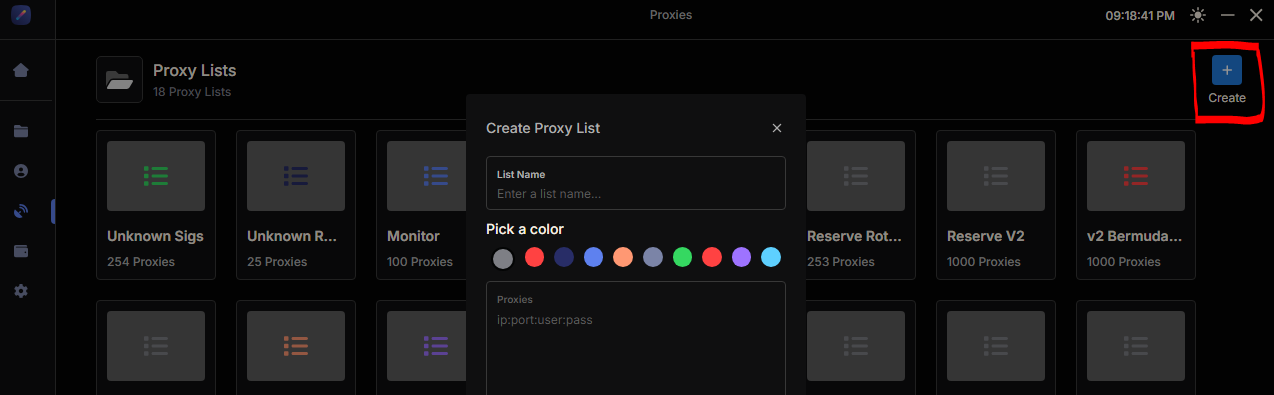
Once you purchase the plan that fits you best, you will be directed to your personal Unknown Proxies Dashboard. Copy your ISP proxies and create a new proxy group on Refract Bot. Paste your Unknown Signature ISPs into the blank list on Refract and save. Wipe the sweat off your forehead, and let's continue.
How to Add Accounts in Refract Bot
Navigate to the “Accounts” tab on the left sidebar and add your Target accounts. If you don’t have any, create some. I recommend only 5 accounts per each unique address. If you use any more than this, you risk flagging your accounts and address. This is an easy step, so now let’s move on.
Creating Tasks in Refract Bot
Lastly, click on the “Tasks” tab. This is where you can create and manage all your tasks on Refract Bot. Press the + button at the top next to “Groups.” From here, we will name it “Target,” for example.
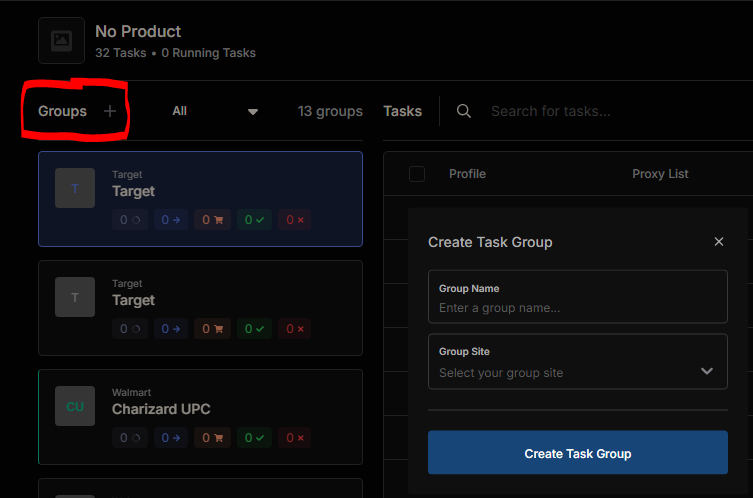
Select “Target” under the group “sites” dropdown, click “use multi input” on, and add your SKUs you want to monitor. A SKU is the product ID on Target. You will find these in cook groups who provide information, such as Poke Signals. Remember, the more SKUs you monitor, the more proxies you will need.
Now add your proxy list you want to use for monitoring, for example, Unknown Proxies Utility or Signature ISPs. Below that will be the monitor delay. I like to use 3500 or 3600. The delay is calculated in milliseconds, so, for example, 3500 is 3.5 seconds. Enable “Hype Product” below the delay and also enable “Loop Checkouts”.
Move over to the top right blue + symbol and click it. Once you do that, you will see a window open up. Add your profiles in. I like to do this individually, one at a time, for each task. Add your Unknown Signature ISPs proxy list and then your account you want for that profile.
We’re almost done. Now you will want to use an error delay of 3500 or 3600, task qty 1, and 2 item quantities for Target. Now press create. You will now repeat this process for all your profiles and accounts until you have done it for all of them.
Using the Cookie Extension with Refract Bot
Now go to refractbot.com and sign into your dashboard. Download the cookie harvesting extension, unzip it, and add it to your Chrome and Edge browsers. Once added to both browsers, open your browser and extension. Go to the extension and enable your Unknown Proxies Signature ISPs on one and Local on the other browser and extension. Once you have done this, start your tasks one at a time while you press “start” on the cookie harvester and make sure to use this link. This link will take you to the Target login page and allow you to create login cookies.
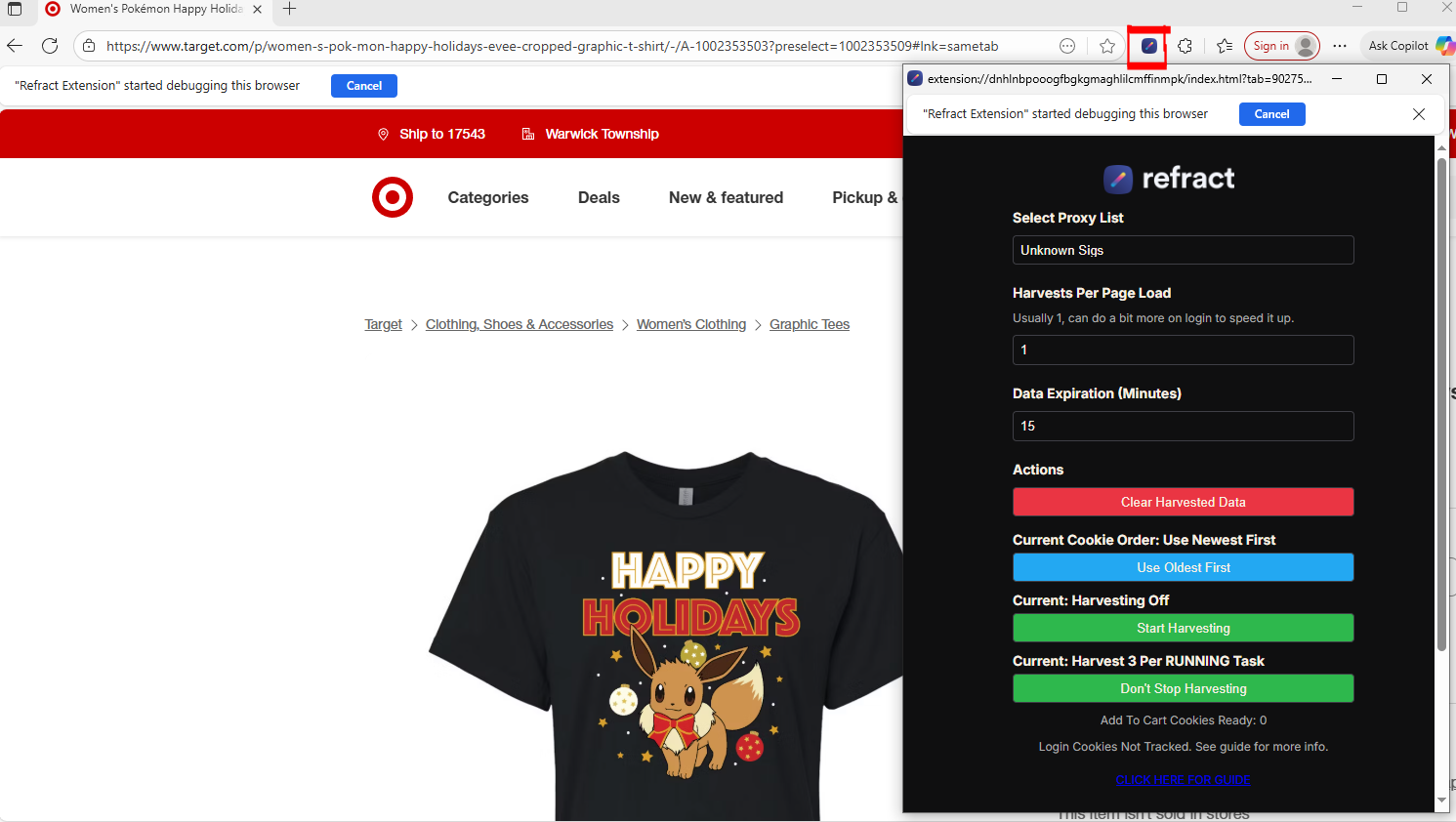
Let your extension run and tasks log in one at a time. Once they’re all logged in, go back to your tasks list and press stop for all of them. Now go to Target on an in-stock product, such as https://www.target.com/p/2024-25-upper-deck-allure-hockey-trading-card-blaster-box/-/A-93954442#lnk=sametab, and start your tasks and harvester. Now your bot should say “waiting for restock.” This is exactly what you want to see.
Now you can sit back and let your Refract Bot help you increase your chances at success. Keep your head up; success will come with persistence.
If you have questions or want more information on proxy products, please join our Discord Support Server https://discord.gg/dJqshDgPyv. We’re always helping users and newcomers in chat.
My name is reconciled on Discord. I welcome you to @ me in chat and say hello. Thanks for reading this Refract Bot guide. I look forward to seeing your success with Refract Bot and Unknown Proxies soon!
About the Author
Bryce Shenk
Chief Marketing Officer
Bryce Shenk is the Chief Marketing Officer and Co-Founder of Unknown Proxies. Mr. Shenk is responsible for marketing, sales, and strategic partnerships of Unknown Proxies. Mr. Shenk started his entrepreneurial pursuit in 2014 with a sneaker reselling business. Mr. Shenk wanted to grow his business and began using proxies and software to help him secure more pairs of shoes. His most notable drop occurred in 2022, when he secured 875 pairs of Jordan Flint 13s. Mr. Shenk attended Penn State for Business Management, and later on went to Aero-Tech Services where he received his Commercial Pilots License.
Stay Unknown
High-performance dedicated proxies optimized for speed and reliability. Get uncompromising quality, 99.9% uptime, and unmatched support. Stay Unknown.